Product tour

The everyday tools your counter needs.

The cashier screen is for selling. The admin area is for products, shop setup and reports. Each part has one clear job.

KKhatiwada Store
Basmati RiceRs. 500.00
Milk 500mlRs. 55.00
TotalRs. 555.00
Android
KKhatiwada Store
Basmati RiceRs. 500.00
Milk 500mlRs. 55.00
TotalRs. 555.00
iPhone
K Khatiwada Store
Current SaleClear
Total Rs. 0.00
Barcode scanning

Scan with the camera on your device.

Use the browser camera for supported barcodes. If an item does not scan, search for it instead.

  • Camera barcode scanning
  • Search by product name
  • Quick Add when a product is missing
K Khatiwada Store
+ Quick Add item
Current SaleClear
Total Rs. 0.00
Weighed goods

Sell rice, dal and other loose goods by weight.

Choose the product, enter the weight and KPOS calculates the line total from the price per kilogram.

K Khatiwada Store
+ Quick Add item
Current SaleClear
Total Rs. 0.00
Cashier

Keep the whole sale on one screen.

Products stay beside the current sale, so the running total is always easy to see.

K Khatiwada Store
Total Rs. 875.00
Customer paid (optional)
Rs. 500 Rs. 1,000 Other
CONFIRM SALE
Cash or QR

Take cash or show your shop's QR.

For cash, enter the amount the customer gives you and KPOS calculates the change. For QR, switch payment type and show the shop's configured QR code.

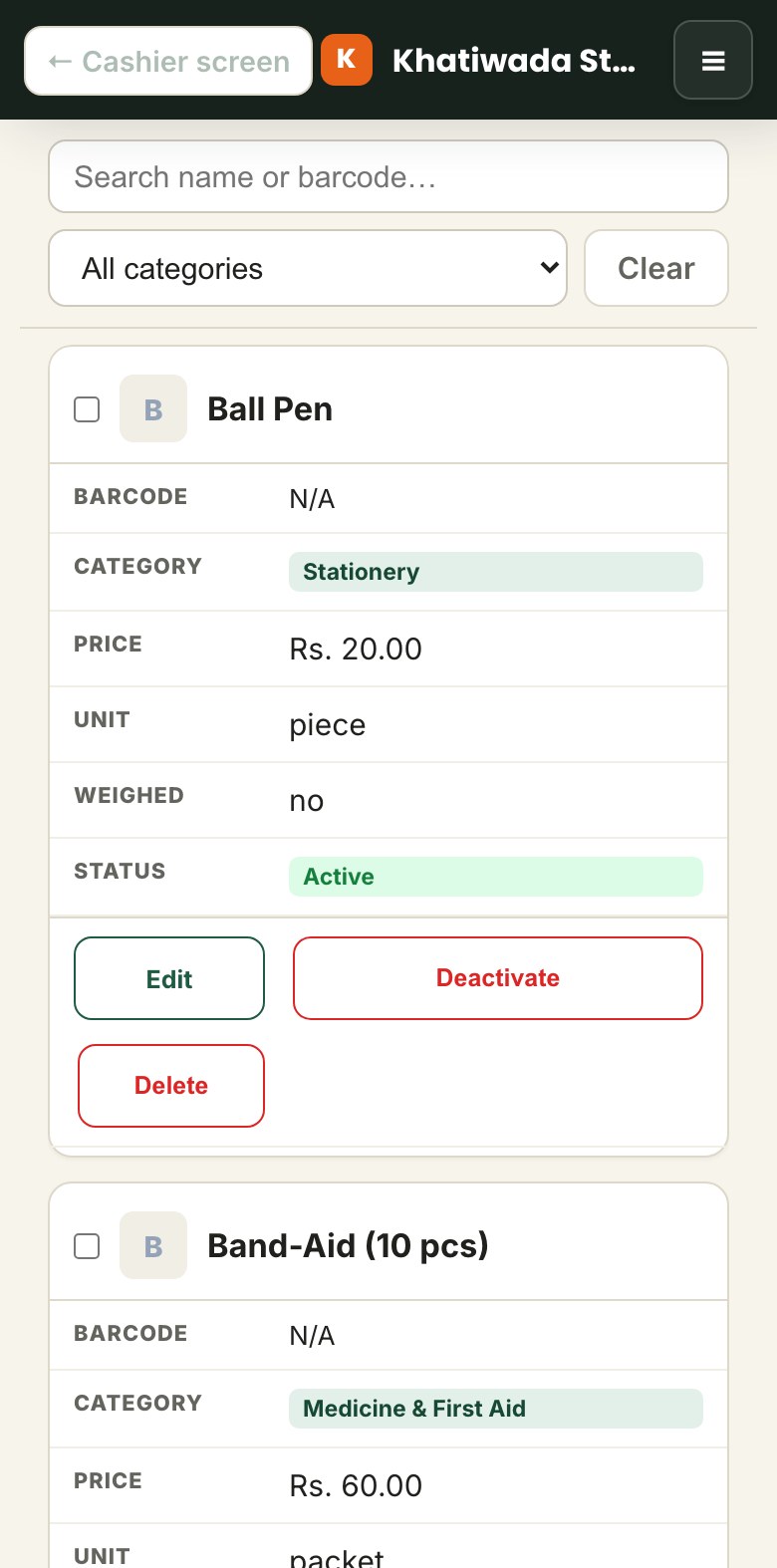
Admin products screen on a phone
Admin

Keep product setup out of the cashier's way.

Manage products, prices and shop settings from the separate admin area.

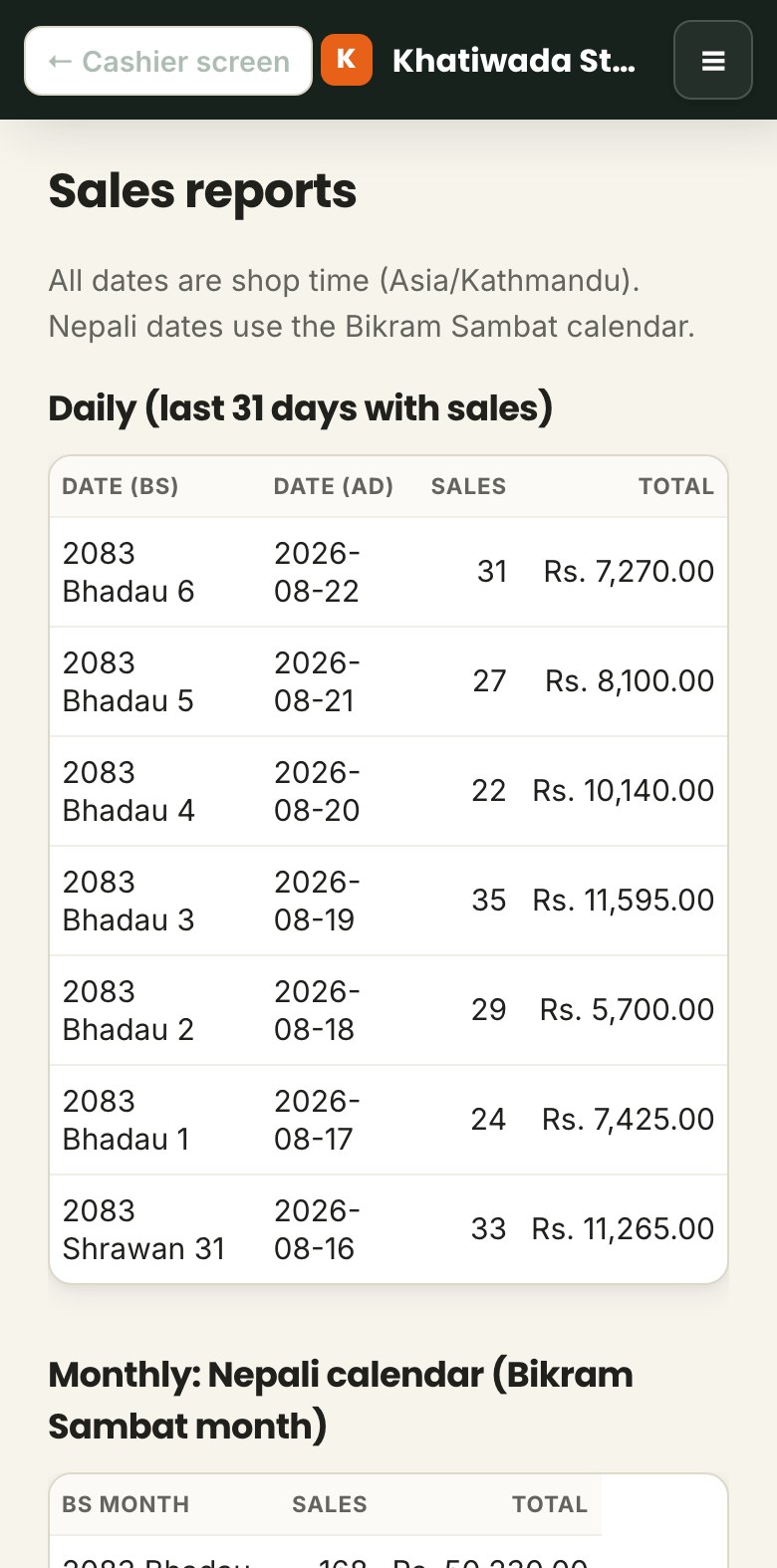
Sales reports screen on a phone
Sales records

Review the sales already recorded.

Use the reports area when you need to look back at the sales recorded in KPOS.

K Khatiwada Store
Current Sale Clear
Milk 500ml Rs. 55.00
Total Rs. 55.00
English and Nepali

Switch the cashier between English and Nepali.

Change the cashier labels between English and Nepali without changing the shop's products or sales data.

See the flow yourself

Try the cashier before you request access.

Try the demo